Jumia Party - Spirits & Beers2.7.0
Publisher Description


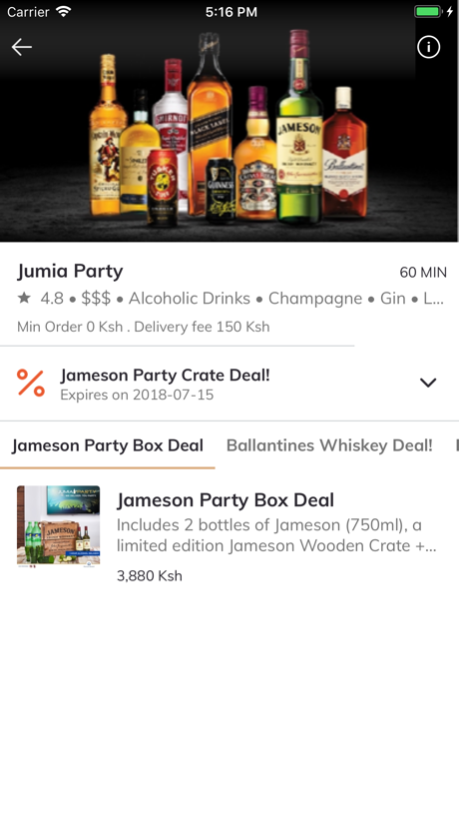
1) Install the app
2) Add your favorite spirits or cigarettes to the basket
3) Check out and prepare your party
What you will find:
Enjoy a large variety of spirits, from liquor to beer. Jumia party also delivers cigarettes and sodas.
Products available in the app :
- Whiskey
- Vodka
- Cognac
- Gin
- Tequila
- Rum
- Liqueur
- Wine
- Mixers
- Cigarettes
Supported Cities:
Accra, Ghana
Lagos, Nigeria
Nairobi, Kenya
Kampala, Uganda
Jumia Party is a service powered by Jumia Food.
Apr 4, 2019
Version 2.7.0
We have a new amazing 2.7 version of the Jumia Party app available for you! Discover what changed:
UX improvements on Vendor List, Vendor’s Menu and Restaurant Info.
Performance and stability improvements!
We are looking forward for your feedback! Your feedback and ideas can be reported at mobile.food@jumia.com.
About Jumia Party - Spirits & Beers
The company that develops Jumia Party - Spirits & Beers is Africa Internet Group. The latest version released by its developer is 2.7.0.
To install Jumia Party - Spirits & Beers on your iOS device, just click the green Continue To App button above to start the installation process. The app is listed on our website since 2019-04-04 and was downloaded 4 times. We have already checked if the download link is safe, however for your own protection we recommend that you scan the downloaded app with your antivirus. Your antivirus may detect the Jumia Party - Spirits & Beers as malware if the download link is broken.
How to install Jumia Party - Spirits & Beers on your iOS device:
- Click on the Continue To App button on our website. This will redirect you to the App Store.
- Once the Jumia Party - Spirits & Beers is shown in the iTunes listing of your iOS device, you can start its download and installation. Tap on the GET button to the right of the app to start downloading it.
- If you are not logged-in the iOS appstore app, you'll be prompted for your your Apple ID and/or password.
- After Jumia Party - Spirits & Beers is downloaded, you'll see an INSTALL button to the right. Tap on it to start the actual installation of the iOS app.
- Once installation is finished you can tap on the OPEN button to start it. Its icon will also be added to your device home screen.
Program Details
System requirements
Download information
Pricing
Version History
version 2.7.0
posted on 2019-04-04
Apr 4, 2019
Version 2.7.0
We have a new amazing 2.7 version of the Jumia Party app available for you! Discover what changed:
UX improvements on Vendor List, Vendor’s Menu and Restaurant Info.
Performance and stability improvements!
We are looking forward for your feedback! Your feedback and ideas can be reported at mobile.food@jumia.com.
